
DDR4 vs DDR5 in the Used Server Market: Which Generation to Buy Now
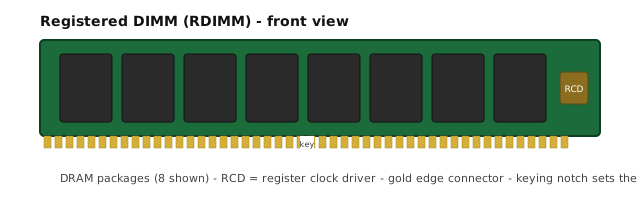
Short answer: your platform decides this for you — a machine takes one generation and there is no adapter. What the secondary market adds is a second question: used pricing tracks installed base and remaining demand, not age, so older generations do not simply get cheaper. DDR4 remains the volume market and DDR5 is where the growth is, and which one is cheaper per usable gigabyte depends on the specific part, not the generation label.
What actually changed between the generations
The engineering differences are real and worth knowing, because they explain why the market behaves the way it does.
| DDR4 | DDR5 | |
|---|---|---|
| Module power | Regulated on the motherboard | Regulated on the module (PMIC) |
| Channel width | 64-bit | Two 32-bit sub-channels per DIMM |
| Per-module bandwidth | Lower | Higher — this is the headline change |
| On-die ECC | No | Yes, in addition to module-level ECC |
| Typical server speeds | 2133–3200 MT/s | 4800 MT/s and up |
| Module keying | — | Different — physically incompatible |
The PMIC moving onto the module and the channel splitting into two sub-channels are the changes that matter most in service: they raise bandwidth per module and they raise the number of ways a module can fail to initialise correctly. Neither is a reason to prefer one generation; both are reasons to buy the right class for your platform.
Why the used market behaves nothing like the new market
New memory pricing tracks manufacturing cost and generation transitions. Used pricing tracks something else entirely: how many machines still need that part.
A generation only starts entering the secondary market in volume when fleets are refreshed. At that moment, two things are true at once — supply is growing, and so is the number of buyers building or maintaining machines of that generation. Whether the price falls depends on which of those moves faster.
The counter-intuitive result is that a generation old enough to be "obsolete" by the vendor's roadmap can still command firm prices in the used market, because the installed base is large and the parts everyone needs are the ones in shortest supply. This is normal. It is also why the honest answer to "is DDR4 or DDR5 cheaper" is "for which part, in what grade, and how urgently do you need it".
Where DDR5 is the right answer
- Your platform takes it. That is the whole argument, and it is usually the only one that matters.
- The workload is genuinely memory-bandwidth bound. Per-channel bandwidth is what DDR5 raises, and where that is the constraint, the gain is real.
- You are buying a platform that will be supported for years. The memory is the cheaper half of that decision.
- You need the highest densities available. Module density roadmaps lead on the newer generation.
Where DDR4 is still the right answer
- Your platform takes it. The installed base of DDR4 servers is enormous, and it will keep being maintained for years.
- You are buying capacity rather than bandwidth. If the constraint is how much memory you can fit, DDR4 registered modules deliver it, and the used pool is deep.
- You are building or repairing a mixed fleet. Matching what is already in service is usually worth more than a generational upgrade.
- The whole system, not the memory, is what you are pricing. An older platform with inexpensive DDR4 can cost less per useful unit of work than a newer one whose memory costs more.
We hold DDR4-2933 ECC registered stock — 16GB 1Rx4 and 32GB 2Rx4, plus matched Mac Pro 2019 kits — and we supply DDR5 registered and load-reduced modules as well, so tell us which generation your platform takes and we will quote against the right one.
Platform lock-in: why this is usually not your choice
It is worth stating plainly, because buyers sometimes arrive expecting a genuine decision:
- The generations are physically incompatible. Different keying, different power delivery, different signalling. There is no adapter.
- The memory controller supports one generation. It is not a firmware option.
- Class rules carry across generations. Registered, load-reduced and 3DS variants exist in both, and mixing classes still halts memory initialisation on mainstream platforms.
So the real decision is almost never "DDR4 or DDR5". It is "which platform", and the memory follows. If you are choosing a platform now, price the complete system — CPU generation, core count, channel count, memory and storage together — because that is what determines cost per unit of work.
A practical sequence for buying now
- Establish what the platform takes. Generation, class (registered / load-reduced), speed grade, and any firmware validation of part numbers.
- Decide how much capacity the workload actually needs. Not the maximum the slots allow — the amount you can name a use for.
- Choose the grade against your tolerance for risk. New, refurbished or pulled-and-tested, and get the grade restated on the quotation.
- Price the part, not the generation. Compare the actual part numbers and grades you can get, per usable gigabyte, rather than assuming the older generation is cheaper.
- Test in your intended population before the machine goes into service. The check that matters is whether the whole population trains together, not whether one module works.
Common Questions
Can I use DDR5 in a DDR4 server?
No. DDR4 and DDR5 use different module keying, different electrical interfaces and different power delivery, and the memory controller supports one generation. There is no adapter and no firmware path. A platform takes DDR4 or DDR5; the generation is decided when you buy the machine.
Why is used DDR4 sometimes more expensive per GB than used DDR5?
Because used pricing tracks installed base and remaining demand, not age. When a generation is being retired in volume while thousands of machines still run it, supply tightens before demand does, and prices can firm or rise for the parts everyone still needs. It is a normal feature of the secondary market, not an anomaly.
Is DDR5 used memory worth buying yet?
It depends entirely on what your platform takes. Used DDR5 exists because first-generation DDR5 servers are now being refreshed, but the volume is smaller than the DDR4 pool and the price advantage over new is correspondingly thinner. If your machine takes DDR5, used is worth pricing; if it takes DDR4, there is no decision to make.
Does DDR5 make a server faster in practice?
It raises per-channel bandwidth and efficiency, and on memory-bound workloads the difference is real. But the gain usually matters less than the platform you are buying it with - CPU generation, core count and channel count typically move a workload more than the memory generation does. Do not buy a new platform for the memory alone.
What about buffered, registered and RDIMM naming across generations?
The class structure carries over - registered, load-reduced and 3DS variants exist in both generations - and the rule that classes cannot be mixed within a platform still applies. What changes between generations is the physical module, not the naming logic. Send the specification and the platform, and we will tell you which class and generation applies.
If I am buying memory today, which generation should I choose?
Choose the generation your platform takes, then choose the grade. If you are also buying the server itself, price the whole system rather than the memory in isolation: an older platform with cheap DDR4 capacity can cost less per useful workload than a newer one whose memory is dearer. We hold DDR4-2933 registered stock and we also supply DDR5 modules — tell us which generation your platform takes and we will quote against that one.
Ask Ms Aya which part numbers we supply, or check the part number cross-reference to match a number against stock. If your platform takes DDR5, say so — we supply that generation too and will quote the actual part rather than something that will not fit.
 Ms Aya